
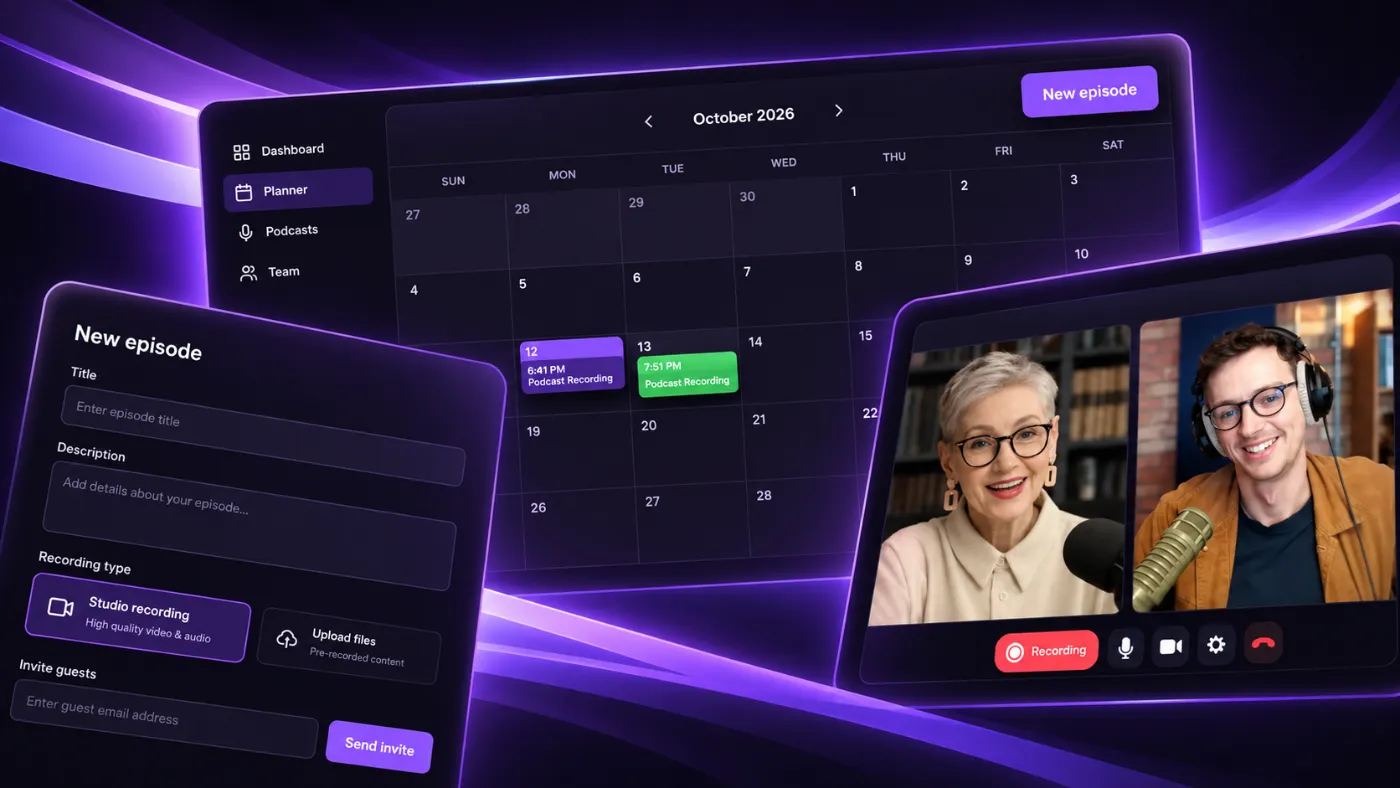
If you run more than one podcast, you already know the real challenge isn't recording episodes.
It's keeping track of them.
Which show has a guest next week? Which slot is still open? Did anyone actually confirm Thursday's recording?
Most hosts end up answering those questions with a spreadsheet, a notes app, or a memory that's supposed to hold six shows' worth of dates at once.
So we built something simpler.
It's called the Planner, and it's now live inside Clear-Cut Podcasting. It started as a calendar. It has since grown into the place where you can do almost everything: create a podcast, schedule an episode, invite your guests, and reschedule when plans change.
One Calendar for Every Show
The Planner is a month calendar that shows every scheduled episode across every podcast you own, in one view.
No switching between shows. No separate calendar per podcast. One screen, one month, everything on it.
Each episode appears as a bar on the day it's scheduled. The bar's height reflects how long the recording is booked for, so a quick glance tells you whether you're looking at a 30-minute chat or a 90-minute deep dive.
Hover over any episode and you'll see the title, the podcast it belongs to, and the date, time, and duration. Click it, and you're straight into that episode's page.
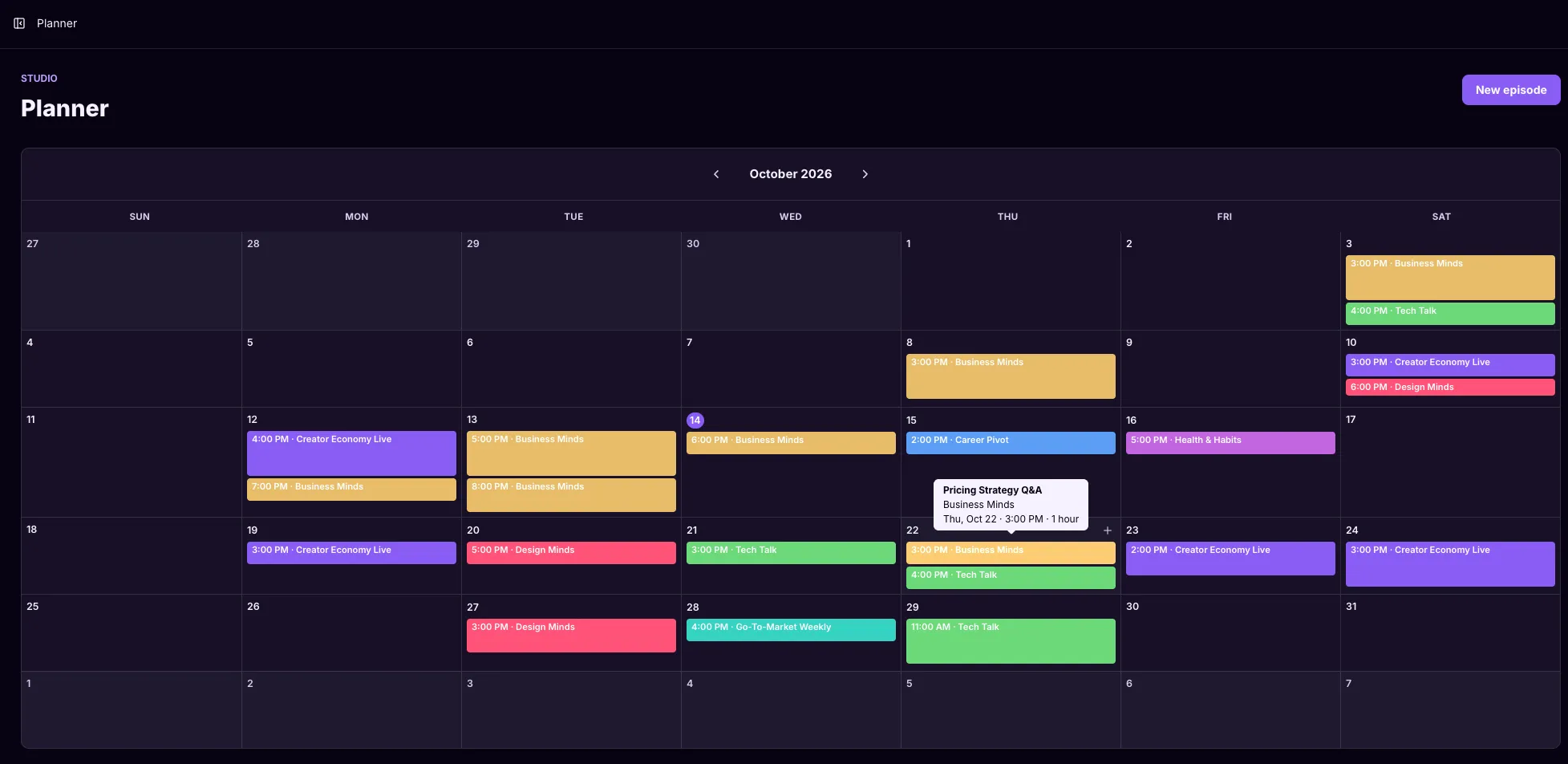
Times are shown in your own browser's timezone, so the calendar always reads the way your day actually runs, even if an episode was booked in another timezone for a guest on the other side of the world.
Every Podcast Gets Its Own Color
If you're only producing one show, this part won't mean much to you yet.
If you're producing three, four, or more, it changes how fast you can read your own calendar.
Every podcast you create is automatically assigned a distinct color. Open the Planner and you don't need to read a single title to know that the teal bars are your flagship show and the gold bars are the side project you started in March.
The pattern becomes visible before the text does.
Click a Day, Schedule a Recording
The calendar isn't just for looking at. It's where scheduling starts.
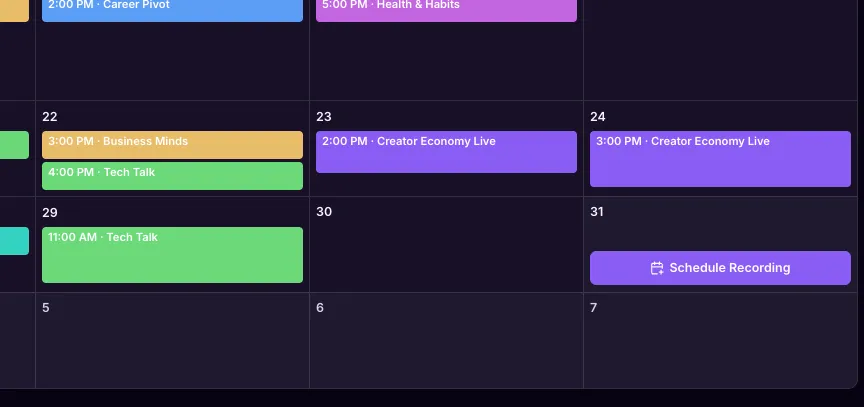
Every upcoming day without an episode has a Schedule Recording button. Days that already have something booked have a small + for adding another. Or just click anywhere on a day, or use the New episode button at the top.
Either way, the form opens with the date already filled in. Days in the past are locked, so you can't accidentally book a recording that should have happened last Tuesday.
No Podcast Yet? Create It Right There
You don't have to set up a podcast somewhere else before you can plan an episode. The podcast picker in the form includes a + Create New Podcast option. Type a name, save it, and it's selected and ready to use, with its own calendar color.
Cover art and other details can wait until later.
The Whole Episode, in One Form
The new episode form covers everything you need to get a recording ready:
- Podcast, with the option to create a new one
- Date, time, timezone, and duration
- Episode title and description
- Guests, with name, email, lower thirds, and background info
- Notes for you, and producer notes for your editor
Submit it, and the episode lands on the calendar immediately, in your podcast's color, at the right time regardless of which timezone you picked.
No separate booking tool. No copying details into an email afterward. Scheduling, invites, and recording all happen in one platform.
We Send the Invites. Your Guests Record With Us.
Add a guest while scheduling an episode, and they don't wait for you to remember to follow up.
Clear-Cut Podcasting emails each guest automatically as soon as the episode is created. You don't write the invite, and you don't paste in a meeting link from another tool.
The invite takes your guest straight into our recording studio, where the episode is recorded. It includes a green room where they can run a quick audio and video test before the session starts. The invite and the recording live in the same platform as the schedule, so there's no third-party video tool in the middle to set up or keep in sync.
You also get a confirmation email with the date, time, and timezone, so you have a record of exactly what was sent.
Plans Change. The Episode Page Handles It.
Every episode page now has a Schedule card at the top, colored to match its podcast.
It shows the date and time range, the duration, a live countdown to the recording, and the time in both your timezone and the episode's timezone when they differ. A View in Planner link takes you back to the right month on the calendar.
If something moves, click Reschedule, change the date, time, timezone, or duration, and save. Every invited guest is emailed the updated time automatically by Clear-Cut Podcasting. You don't have to track who still has the old details, and the recording is still in the same place.
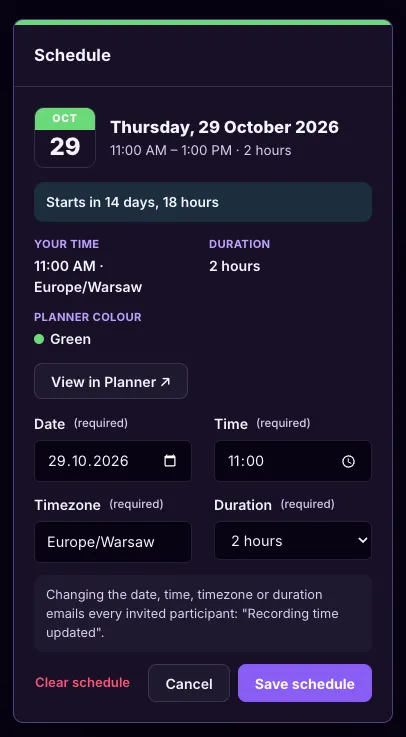
You can also clear the schedule entirely, and your guests are told the recording no longer has a set time.
Created an episode without a date? The card has a Schedule recording button, and once you pick a slot, the episode appears on the Planner and your guests get the details.
Your Dashboard Keeps You Honest
Your Dashboard's upcoming podcasts bar shows what's coming in the next 7 days, labeled by status:
- Scheduled: on the calendar, with date and time confirmed
- Unscheduled: an episode exists but still needs a date and time
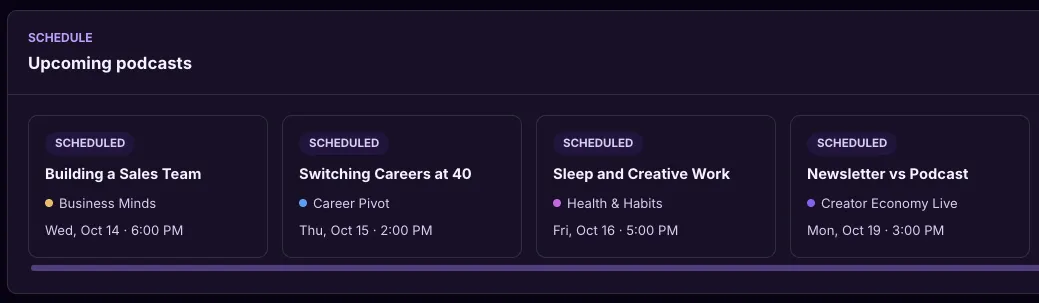
That second label matters more than it sounds. It surfaces the episodes you started but never put on the calendar, before they quietly stall.
Why We Built This
A podcast only builds authority if it keeps showing up.
Not perfectly. Consistently.
And consistency is hard to maintain when "when is this recording?" requires checking three different places to answer.
The Planner exists so that question has one answer, in one place, for every show you run. Less time managing the schedule. More time having the conversations that make the schedule worth keeping.
If you're already using Clear-Cut Podcasting, the Planner is live in your dashboard now. If you're not yet, this is one more piece of what we mean when we say we handle everything a podcast needs between "let's record" and "it's published."